Books that suppose to be on your shelves


0

I've been searching for some books for jQuery, just to make myself more understanding on how jQuery works especially when designing GUI. Sometimes we are so reluctant when it came on reading, but eventually I've found a few books that for me most web designer suppose to keep it on their shelves.

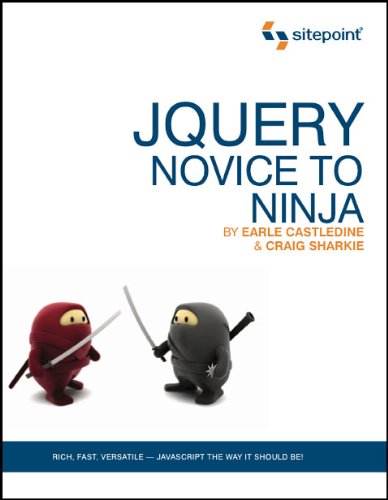
jQuery - Novice to Ninja (by Sitepoint)

This book really explain almost in details from zero knowledge about jQuery until you become familliar with jQuery. I have glance through the book, but too details and I found out that it is a must for those who are really thinking to step into the jQuery world.

For more review:
jQuery - Novice to Ninja


jQuery in Action (by Manning - 2nd Edition)

This second edition also stress more on how to play around with jQuery functions and also a bit touch on jQuery UI. As sometimes when I'm surfing I found that most web apps are using jQuery UI, and they customized it to suit their requirement. For exmaple, meebo bar. Meebo Bar are using jQuery UI as their GUI for some of the items.

For more review:
jQuery in Action [2nd Edition]


Pro PHP and Jquery (by Apress)

In this book, the author have split the main topics into 3 sections, Advanced PHP Programming, Combining jQuery with PHP Applications and Advanced PHP and jQuery. Nowadays more and more web base application are being develop and most of it where highly develop with Ajax. Which becomes a must. In this book it relate all of this functionality with the usage of Javascript Framework, jQuery which makes the life of web developer easier.


For more review:
Pro PHP and jQuery
javascript:void(0)

The Problem with PHP's Prepared Statement


0


Source of tutorial:  The Problem with PHP’s Prepared Statements
javascript:void(0)

Embedding font with CSS @font-face [Part 2]


0

Well, most probably you have got the idea on how to embed your own font into your site. In this tutorial I'll elaborate a bit more detail on how to use CSS @font-face property to embed you font into your site. This is  the way I'm learned and I did a bit tweak to suit my requirement, and you could try this and manipulate to suit your requirement.

Well, enough with the chit chat, lets us jump into action. :)

For Safari, Firefox, Chrome and Opera

Step 1

You need to define the font that you are going to use. In this tutorial, I've decided to us Graublab Web font,  and I have downloaded it from here.

Step 2

Once the download completed, you'll see your folder structure like this,


Then you need to copy the all of the files and paste it into your site folder, it is approciate if you could just copy the folder into your site. For exmaple this in my folder structure. 


Step 3

Now open your favorite text editor or any IDE that known to you, and paste this into a new CSS file.

@font-face{
 font-family: GraublauWeb;
 src: url('../GraublauSansWeb/GraublauWeb.otf') format('opentype');
}
@font-face{
 font-family: GraublauWebBold;
 src: url('../GraublauSansWeb/GraublauWebBold.otf') format('opentype');
}

Step 4

Now you need to assign your HTML element that you want the font to affected to, like this:

h3 {
    font-family:GraublauWebBold, Verdana, Arial, Helvetica, sans-serif;
    color:#131313;
}

p {
    font-family:GraublauWeb,Verdana, Arial, Helvetica, sans-serif;
}

Once you have finished, just launch your browser and see the result. Ok, let's jump to the IE version.

IE Version.

The reason behind this is because IE does not support (.OTF) format, so we need to convert the .OTF into .EOT. You could convert your font here.


One you have convert and download the font, you should get the file structure in the downloaded folder like this:


If you could see, the folder also included a CSS file, you also could use this file which already made to compatible with all browser ... kind of cute, rite .... :) Once you have done, just create a new CSS file and named it ie.css.

@charset "UTF-8";
/* CSS Document */
@font-face{
 font-family: GraublauWeb;
 src: url('../GraublauSansWeb/GraublauWeb.eot');
}
@font-face{
 font-family: GraublauWebBold;
 src: url('../GraublauSansWeb/GraublauWebBold.eot');
}

So, it's done. I hope this tutorial will help some us who are trying to more creative design in our web design. Should you need more information, just write to me @ fudadesignz[at]gmail.com.

Cheers!!!!

Related Links

javascript:void(0)

Embedding font with CSS @font-face [Part 1]


1

Well, this morning one of my formal colleague did asked me how that we could embed another font into your site and assuming that the user's machine did not have the font installed in their machine.

Actually we can achieve that by usign javascript or flash (like SiFR) but why you need to hassle yourself when you could achieve it with just a few line of codes. Thanks to CSS @font-face, I did one asking myself about this, and what that iI found out that it's really simple to do it.

Well, lets jump into some small tutorial.

Step 1

The first to do is to have your font to be included into your root folder, and you must make sure that you're not illegally use the font, cause some font are copyrighted. It it is, please seek permission from the author and also include the license or agreement into the same folder with your font.

Step 2

You need to add this line codes into your CSS file or possible you create an external CSS file for easier maintenance... :)

@font-face {
font-family: Tahoma;
src: url("path-to-the-font-file/Tahoma.otf") format("opentype");
}
@font-face {
font-family: Tahoma;
font-weight: bold;
src: url("path-to-the-font-file/Tahoma.otf") format("opentype");
}

Then you need to add the font-family wot which element that you want it to be like this:

h1 {
font-family: Tahoma, Helvetica, Verdana, Sans-Serif;
}

Note:

For Internet Explorer, it only support font in EOT to work with @font-face. So you need to write your CSS like this:

<!--[if IE]>
<style type="text/css" media="screen">

@font-face{
font-family:'Fontin-Regular';
src: url('Fontin-Regular.eot');
}

</style>
<![endif]-->


Explanation


  • @font-face, this the CSS property will used to set font type that are going to be used.
  • font-family, the type of font that are going to be used.
  • src, this the path to your font source. It could be form another site or from your own in the root folder.

Once you have completed, it is done. So, do play around with this so that you could achieve your desired look and feel for your site. Don't forget to look some of the resources link for further understanding.

Cheers!!!!

Related Links


Source of tutorials:

21 Awesome @font-face Embeddable Typefaces

javascript:void(0)

HTML5 Demos and Examples


0

HTML5 Demos and Examples

Well, most porbably this in the first tutorial and I'm writing. And eventually it is a research that I went through to search for a more robust way to codes, in HTML.

Maybe most of you have already heard or even started using it, HTML 5, which was the latest HTML version. For me I found it more easier and faster in coding since HTML 5 have more shorter ways of coding.

As this point of writing, not all functions of HTML 5 being supported by most browsers. So, why not we have a look at some of the examples and demos that are being introduced in HTML 5.

javascript:void(0)